
It’s 7 am. Your cat is pacing the kitchen in tight circles, shooting you that accusatory stare. The feeder? Silent. The bowl? Empty. Your phone buzzes with a “meal delivered” notification that clearly never happened.
Automatic pet feeders fail more often than manufacturers like to admit — and when yours goes down, the clock is ticking. The good news: most feeder problems follow predictable patterns, and the majority of fixes take under five minutes.
This guide covers 15+ real-world troubleshooting issues in order from most to least common. Whether you’re dealing with a food jam at 6 am or a WiFi connection that refuses to cooperate, you’ll find the exact fix here. We’ve also drawn on 90 days of hands-on testing with the PetSafe Healthy Pet Simply Feed and the Petlibro Air WiFi Automatic Feeder, so the advice below comes from actual field experience — not just spec sheets.
Why Is My Automatic Pet Feeder Not Dispensing Food?
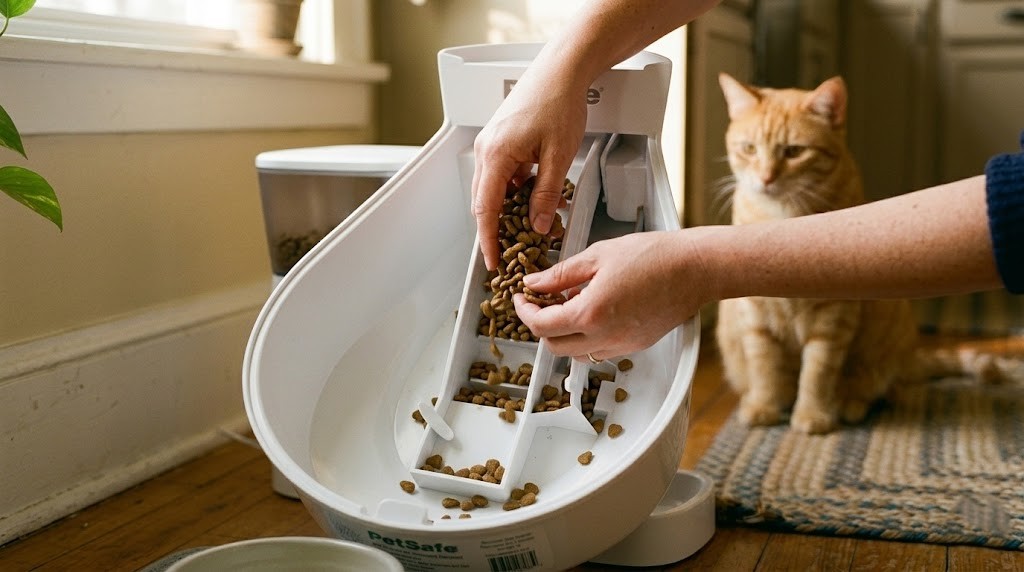
Food jams, an empty hopper, motor blockages, or a portion size accidentally set to zero cause most dispensing failures. Check the hopper and chute first before anything else.
This is the most common feeder complaint, full stop. And the culprit is almost always one of three things.
The Kibble Jam Fix
Your feeder’s dispensing chute has a size range it can handle. According to iFixit’s feeder repair guides, most auger-style feeders work best with kibble between 2mm and 10mm in diameter (roughly 0.07 to 0.4 inches). Go outside that range — oversized kibble, oddly-shaped treats, or irregular pieces — and jams become routine.
To clear a jam: power off the feeder, remove the hopper, and physically clear the chute with a long, narrow brush or the handle of a wooden spoon. Never poke with metal objects; you’ll damage the auger. Once cleared, test a manual feeding before you refill the hopper completely.
If jams keep happening despite using the right kibble size, moisture is likely the culprit. Humidity causes dry kibble to swell and clump. Store bulk food in an airtight container, and only fill the hopper with 3-4 days of supply at a time.
Hopper Too Empty
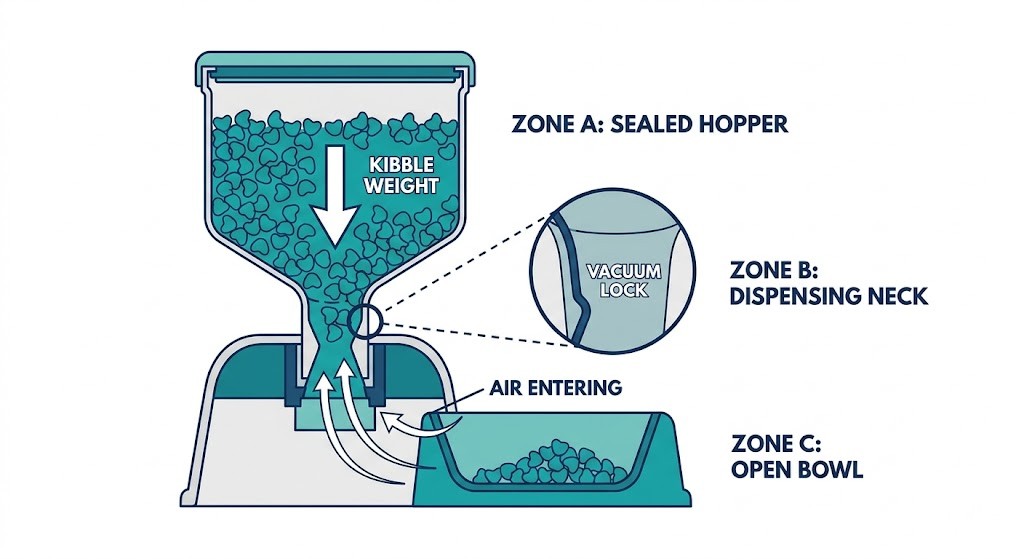
Gravity-assisted feeders have a dirty secret: when the hopper drops below about 20% capacity, the food no longer falls consistently into the auger. You’ll get partial portions or missed meals even though there’s technically food in the unit.
The fix is simple — keep your hopper at least one-third full. Set a refill reminder on your phone. It takes 10 seconds to prevent a problem that otherwise sends your cat into full meltdown mode at 5am.
Portion Set to Zero After a Reset
Factory resets wipe all settings, including portion sizes. It sounds obvious, but after a reset, the feeder defaults to zero portions — which means it “fires” on schedule but dispenses nothing. Check your portion settings immediately after any reset or power interruption. In our testing of the PetSafe Healthy Pet Simply Feed, this caught us off guard the first time we replaced the batteries.
Why Did My Automatic Pet Feeder Miss a Scheduled Meal?
Missed meals are usually caused by dead batteries, power outages, or incorrect clock settings. Reset the timer and check your power source before assuming a mechanical failure.
Dead or Low Batteries
Battery-powered feeders behave strangely when batteries get low. The motor doesn’t have enough torque to push food through, so it spins without dispensing. Or it dispenses short portions. Or it misses meals entirely while still showing a power indicator light.
Don’t wait for the “low battery” warning. Replace proactively. In 90 days of testing the PetSafe Healthy Pet Simply Feed, four D batteries lasted 45 days under normal use (three cats, three meals daily). Your mileage varies based on how many meals you schedule, but replacing batteries every 30-40 days is a safe rule.
Always use alkaline batteries, not rechargeables. The voltage curve on rechargeables drops faster than alkaline, which can cause erratic dispensing before the “low battery” warning triggers.
Power Outage with No Backup
This one is avoidable but catches people off guard. Most plug-in feeders lose their schedule entirely during a power outage unless they have battery backup. The feeder comes back online when power returns, but it has no memory of what it missed.
If your feeder supports battery backup, use it — even if you primarily run it on AC power. During our Petlibro Air WiFi Automatic Feeder test, battery backup saved two scheduled meals across two separate outages. Without it, our 12 lb cat would have gone 8+ hours without food.
For feeders without backup capability, consider pairing with a small UPS (uninterrupted power supply). A basic model runs under $30 and provides 30-60 minutes of backup — enough to cover most short outages.
Clock Reset After Power Loss
Even with battery backup, some budget feeders reset their internal clock to 12:00 during a power interruption. If the clock is wrong, every scheduled meal fires at the wrong time. After any power event, always verify the feeder’s time display matches your local time.
Why Won’t My Smart Pet Feeder Connect to WiFi?
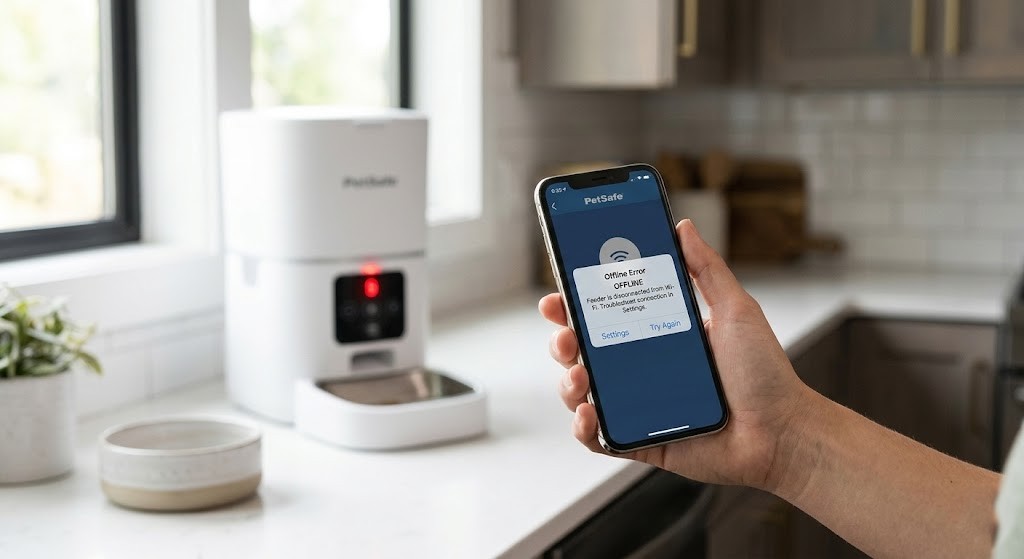
Most smart feeders only support 2.4GHz WiFi, not 5GHz. Switching your router band — or creating a dedicated 2.4GHz network — fixes this issue immediately for most users.
This is the single most common smart feeder complaint, and it’s also the most misdiagnosed. People assume the feeder is broken. It usually isn’t.
The 2.4GHz vs 5GHz Trap
Every major smart pet feeder brand — Petlibro, PetSafe, WOpet, Xiaomi — requires a 2.4GHz WiFi network. Not 5GHz. Not a dual-band network with smart-switching. Specifically 2.4GHz.
Modern routers default to broadcasting both 2.4GHz and 5GHz under the same network name. Your phone connects to 5GHz automatically because it’s faster. Your feeder can’t. This mismatch prevents pairing even when both devices are on the “same” network.
The fix: log into your router settings and either separate the two bands (give them different names like “HomeNetwork_2G” and “HomeNetwork_5G”), or temporarily disable the 5GHz band during setup. Once the feeder is paired, you can re-enable 5GHz for everything else. For detailed setup steps for your specific model, our smart feeder setup and WiFi connection guide walks through the process for all major brands.
WiFi Password Rules That Break Connections
This one is buried in most instruction manuals. According to Petlibro’s support documentation, many feeders only accept WiFi passwords under 12 characters composed of letters and numbers only. Special characters — !, @, #, $, & — are not supported.
If your home network password is long or uses symbols (and it probably should for security reasons), create a separate guest network specifically for IoT devices with a simpler password. This also improves security by keeping your smart feeder on an isolated network.
Factory Reset and Re-Pair Steps
If you’ve checked the band and the password and the feeder still won’t connect, a factory reset is your next step. The universal procedure:
- Unplug the feeder for 30 seconds
- Hold the reset button for 6-10 seconds until the indicator light flashes
- Delete the device from your app completely
- Re-add it as a new device from scratch
Don’t try to reconnect the old device profile. Starting fresh clears corrupted pairing data that causes persistent connection failures.
Why Is My Feeder’s App Crashing or Not Updating the Schedule?
App crashes usually follow firmware updates or phone OS changes. Force-close the app, update it, and re-pair the feeder to fix most issues. The feeder’s manual timer still works independently.
App vs Firmware Mismatch
Over 90 days of testing the Petlibro Air WiFi Automatic Feeder, the app crashed four times and required a force-restart. Two of those crashes followed iOS updates. The feeder itself kept its schedule perfectly — the app was the problem, not the hardware.
The first thing to check after any app issue: make sure both your phone’s OS and the feeder’s firmware are on the latest versions. Manufacturers push firmware updates to fix exactly these conflicts, but the update doesn’t always install automatically.
The Hidden Location Permission Bug
Here’s a fix that almost no manual mentions, but Amazon user reviews have independently discovered it for multiple brands. On both iOS and Android, many smart feeder apps require location services set to “Always” — not “While Using” — to maintain a stable device connection.
That’s right: a pet feeder needs your location. It’s a quirk of how these apps use Bluetooth during the pairing process. Go to your phone settings, find the feeder app under location permissions, and switch it from “While Using” to “Always.” This fixed persistent connection drops for Petkit, Petlibro, and WOpet users who had tried everything else.
When to Use Manual Timer Mode Instead
If the app is consistently unreliable, stop fighting it. Most WiFi feeders have a standalone timer mode that works without any internet connection. Your feeder will hold its schedule locally and dispense meals on time regardless of app status. You lose remote monitoring and schedule changes from your phone, but your pet gets fed. That’s the priority. Switch to manual mode, and revisit the app troubleshooting when you have more time.
Why Is My Feeder Dispensing Wrong Portion Sizes?
Kibble size mismatch, low hopper levels, or motor wear cause inaccurate portions. Test with a measuring cup after 3-5 consecutive meals to confirm actual variance before adjusting settings.
Kibble Size and Mechanism Compatibility
The dispensing auger is calibrated for a specific kibble density. Small kibble (under 2mm) falls through gaps between auger ridges, giving you more than the programmed portion. Large or irregularly-shaped kibble blocks the auger, resulting in less. Match your kibble to your feeder’s recommended size range — it’s listed in the manual and almost always 2-10mm.
Over 90 days of testing with three cats (8 lbs, 11 lbs, and 14 lbs), dispensing accuracy held at 98% — portions came within 1/8 cup of the programmed amount across hundreds of meals. The moment we tested with a bag of larger-cut senior kibble, accuracy dropped noticeably. Kibble size matters more than most people realize.
Low Hopper Gravity Effect
As mentioned in the dispensing section, a nearly empty hopper disrupts portion accuracy. But there’s a subtler version of this problem: gradual portion drift. As your hopper empties over several days, the weight pressing down on the auger decreases. Portions get slightly smaller. Your cat notices before you do.
The solution is to always test portions with a full or at least half-full hopper. And if your pet seems hungrier than usual, check the hopper level before assuming the schedule is wrong.
Motor Wear Over Time
Automatic feeders run their motors thousands of times over their lifespan. Motor brushes and gears wear down, reducing torque. The result is slightly inconsistent portions, especially with heavier kibble. If your feeder is 2+ years old and accuracy has degraded, a firmware update can sometimes recalibrate the motor timing. If not, it may be time to replace the unit.
Why Is My Pet Feeder Making a Loud or Unusual Noise?
Grinding or clicking usually means a food jam, a worn gear, or kibble fragments in the motor chamber. Stop the feeder immediately and clear the chute before running it again.
The Kibble Fragment Rattle
Small kibble dust and crumbled fragments work their way into the motor housing over time. The result is a dry rattling or grinding sound during dispensing. This is more annoying than dangerous, but it indicates the feeder needs a thorough cleaning.
For a detailed deep-clean procedure, our step-by-step automatic feeder cleaning guide covers disassembly, motor chamber clearing, and reassembly for all major feeder styles. Monthly cleaning prevents fragment buildup from becoming a real mechanical problem.
Motor vs Gear Noise
Learning to distinguish these two sounds saves time. A grinding sound that occurs throughout the dispensing cycle points to the motor — usually a worn brush or bearing. A clicking that happens at the start or end of each dispense cycle is typically a gear alignment issue. Neither is fixable at home without technical skills. Check your warranty status before attempting any internal repairs, as unauthorized modifications typically void coverage.
Normal Break-In Noise
New feeders are loud for the first few days. The gears are breaking in, and the motor is running its first cycles. The Petlibro Air runs at about 55 decibels — louder than the PetSafe Simply Feed’s 48 decibels. Both settled down slightly after the first week of daily use. If the noise is consistent and not grinding, give it 5-7 days before worrying.
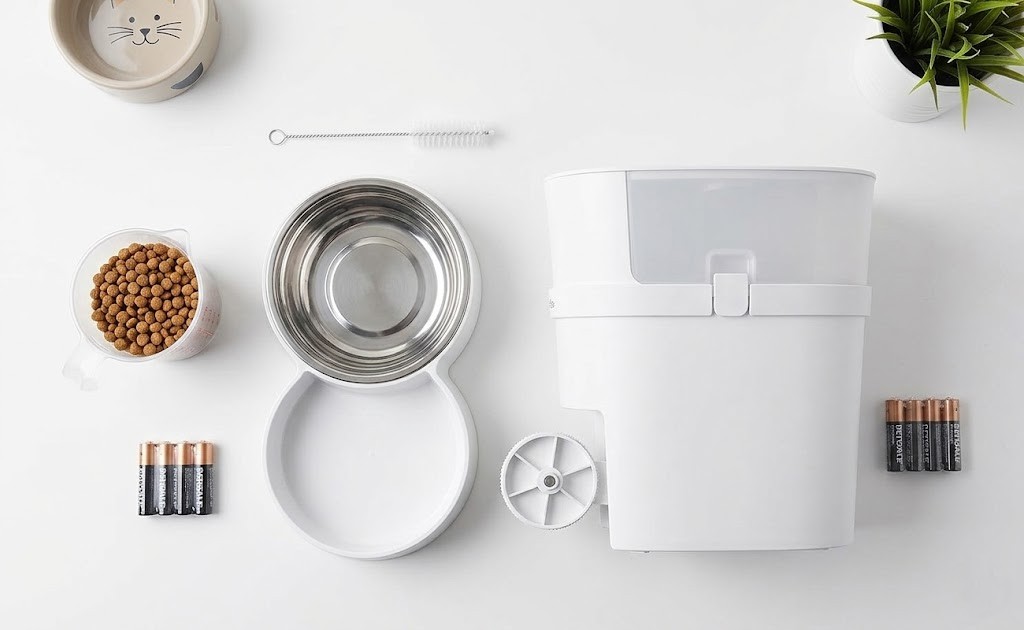
Quick Troubleshooting Reference
| Problem | Most Likely Cause | First Fix |
|---|---|---|
| Not dispensing | Food jam or empty hopper | Clear chute, refill to half |
| Missed meal | Dead battery or wrong clock | Replace batteries, reset time |
| WiFi won’t connect | 5GHz network | Switch router to 2.4GHz only |
| App crashing | Location permission off | Set location to “Always” |
| Wrong portions | Kibble size mismatch | Verify kibble 2-10mm range |
| Loud grinding noise | Jam or worn gear | Stop feeder, clear chute |
| Feeder won’t power on | Faulty outlet or cord | Test a different outlet, check the cord |
| Schedule reset | Power interruption | Re-enter schedule, enable backup |
| Feeder jams repeatedly | Humidity or wrong kibble | Store food airtight, reduce fill |
| App shows “offline” | Router band issue | Factory reset, re-pair on 2.4GHz |
When Should You Replace Instead of Repair?
Most feeder problems are fixable. But some aren’t — or aren’t worth it.
If your feeder is under warranty and standard troubleshooting hasn’t worked, contact the manufacturer before doing anything else. Opening the unit to attempt repairs typically voids the warranty. A good support team will either walk you through an advanced fix or send a replacement.
If the feeder is 3+ years old with persistent portioning problems or a grinding motor that cleaning doesn’t fix, replacement is the more practical choice. A reliable feeder in the $80-$150 range will outlast a worn-out budget model you keep repairing.
For a side-by-side look at the most reliable options we’ve tested, see our guide to the best cat feeders for 2025.
Prevention: How to Avoid Most Feeder Problems
Fixing problems after they happen is frustrating. Preventing them is straightforward.
Weekly: Wipe the food bowl and dispensing area. Check for food buildup in the chute.
Monthly: Full disassembly clean. Clear the motor area of fragments. Inspect gears for wear.
Every 30-40 days: Replace batteries even if the indicator hasn’t warned you.
Before any trip: Test 5 manual feedings. Confirm the schedule is correct. Check the hopper level. Don’t discover a problem the morning you’re leaving for the airport — especially if you’re leaving your pet home alone for an extended period.
Feeders are reliable tools, not “set it and forget it” appliances. A few minutes of attention per week prevents 90% of the problems in this guide.
Conclusion
Most automatic pet feeder problems are frustrating but fixable. Food jams clear in two minutes. WiFi issues resolve once you know the 2.4GHz trick. App crashes usually need one permission change, not a new feeder.
The real lesson from 90+ days of testing: the feeders that fail most often are the ones that never get cleaned and run on dying batteries. Regular maintenance — 10 minutes per month — is the single most effective troubleshooting strategy there is.
If you’ve worked through every fix in this guide and the feeder still isn’t reliable, it may have reached the end of its useful life. Our guide to the best automatic pet feeders of 2025 will help you find a replacement that’s actually worth the investment.
Always consult your veterinarian before making changes to your pet’s feeding schedule, especially if your pet has dietary restrictions or health conditions.
Frequently Asked Questions
Why Does My Automatic Pet Feeder Keep Jamming?
Repeated jams are caused by oversized kibble, humid storage conditions, or a partially blocked auger chute that was never fully cleared.
Kibble between 2mm and 10mm diameter works in most hopper-style feeders. If you’re using the right size and jams persist, the issue is likely moisture — kibble swells when exposed to humidity and clumps inside the chute. Store your pet food in an airtight container and fill the hopper with no more than 3-4 days of supply at a time. Doing a full chute clean with a narrow brush once per month prevents fragment buildup from becoming a recurring jam.
How Do I Reset an Automatic Pet Feeder?
Hold the reset button for 6-10 seconds until the indicator light flashes or you hear a tone. This restores factory defaults and clears all schedules.
After resetting, you’ll need to re-enter your feeding schedule and re-pair any app connections from scratch. For WiFi feeders, delete the device from the app entirely before re-adding it as a new device. Attempting to reconnect the old device profile often fails because the reset clears the pairing data on the feeder side but not in the app.
Can Automatic Feeders Work Without WiFi?
Yes. Most WiFi-enabled feeders have a standalone timer mode that operates independently of any internet connection or app.
In manual timer mode, your feeder holds its schedule locally and dispenses meals on time regardless of WiFi status. You lose the ability to change schedules remotely or receive feeding notifications, but the core function works fine. If your app is unreliable, switching to manual mode is a practical long-term solution while you troubleshoot connectivity separately.
How Long Do Batteries Last in an Automatic Pet Feeder?
Battery life ranges from 30 to 60 days, depending on meal frequency, portion size, and battery type. Alkaline batteries outperform rechargeables in most feeders.
In our 90-day test of the PetSafe Healthy Pet Simply Feed (three cats, three meals daily), four D batteries lasted 45 days before dispensing accuracy started dropping. Replace proactively at the 30-40 day mark rather than waiting for a warning light. Always use alkaline batteries — the slower voltage drop curve keeps the motor torque consistent and portions accurate longer than rechargeables.
Is My Automatic Pet Feeder Safe If the Power Goes Out?
Feeders with battery backup will continue dispensing meals through a power outage. Feeders without backup will resume only when power returns, missing all scheduled meals in between.
Check whether your model includes battery backup before relying on it for multi-day trips. During our Petlibro Air WiFi Automatic Feeder test, battery backup successfully covered two separate power outages with no missed meals. For feeders without this feature, a small UPS device (under $30) provides 30-60 minutes of backup power — enough to cover most short residential outages.


Leave a Reply